Product description
ClickGhasts
Claim, protect, and manage your very own Happy Ghast!
ClickGhasts is a lightweight plugin for Paper 1.21.11 that lets players claim Minecraft's native Happy Ghasts, control who can ride them, and protect them from damage.
Whether you want a personal flying companion or a shared mount for your friends, ClickGhasts gives you full control over your Happy Ghasts through simple interactions, convenient GUIs, and fully configurable server settings.
✨ Features
- Claim Happy Ghasts — Sneak + right-click an unclaimed Happy Ghast with an empty main hand to claim it through a simple GUI.
- Ownership Protection — Claimed Happy Ghasts are invulnerable to all damage except
/kill, the void, and players with the damage permission. - Riding Permissions — Owners can ride their ghasts and share access with trusted players, with separate mount and control permissions.
- Trusted Players — Add, remove, and list trusted players via commands or the in-game management GUI. Trust applies to all of your Happy Ghasts.
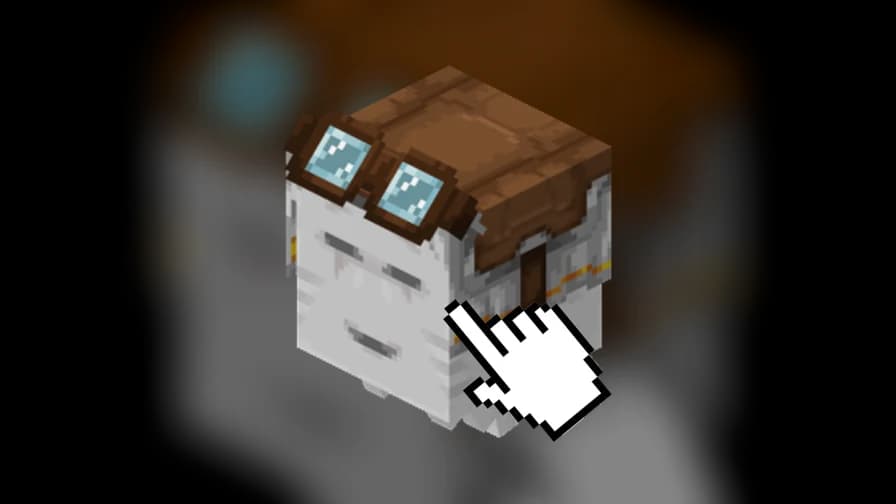
- Pickup & Relocation — Pick up your claimed Happy Ghast into a custom-textured player head that looks just like it! Baby Ghasts become Baby Happy Ghast heads. Place the head on any block to release your ghast with all its data intact. No resource pack required!
- Speed Control — Adjust every claimed Happy Ghast's flying speed with a configurable multiplier.
- In-Game Settings GUI — Toggle or edit every configuration option live through
/clickghast settings. No file editing or restarts needed. - Movement Lock — Claimed Happy Ghasts stay parked until an authorized rider mounts them, or roam freely with the AI movement setting.
- Claim Limits & Cooldowns — Configure per-player claim caps and cooldowns.
- Persistent Ownership — Claims and claim counts survive restarts, with trusted-player data saved separately.
🎮 How to Play
Claim a Happy Ghast
- Find an unclaimed Happy Ghast.
- Hold an empty main hand.
- Sneak and right-click the Happy Ghast.
- Select Claim in the GUI.
Manage Your Happy Ghast
Sneak and right-click your claimed Happy Ghast with an empty main hand to open its management menu.
From here, you can:
- Manage trusted players.
- Unclaim your Happy Ghast.
- Pick up your Happy Ghast.
Pick Up & Relocate
- Open your Happy Ghast's management GUI.
- Select Pick Up.
- Your ghast is stored in a custom Happy Ghast head.
- Place the head on any block to release it again, exactly as it was.
If your inventory is full, the head drops at your feet instead.
Ride Your Happy Ghast
Right-click a Happy Ghast with an empty main hand to mount it, provided you're authorized.
Depending on your server settings, authorization includes:
- The owner.
- Trusted players.
- Players with the appropriate bypass permission.
Find Your Ghasts
Use /clickghast list to see where all your claimed Happy Ghasts are located. Never lose track of a flying companion again!
📖 Commands
| Command | Description |
|---|---|
/happyghast add <player> | Trust a player on all your ghasts |
/happyghast remove <player> | Remove a trusted player |
/happyghast list | List your trusted players |
/happyghast reload | Reload the plugin configuration |
/clickghast reload | Reload the plugin configuration |
/clickghast settings | Open the live settings GUI |
/clickghast list [player] | Locate claimed Happy Ghasts |
/ghastspeed <multiplier> | Set the claimed ghast speed multiplier (operators only) |
🔐 Permissions
All permissions use the clickghasts. prefix.
| Permission | Default |
|---|---|
clickghasts.claim | Everyone |
clickghasts.pickup | Everyone |
clickghasts.place | Everyone |
clickghasts.trust | Everyone |
clickghasts.manage | Everyone |
clickghasts.list | Everyone |
clickghasts.bypass-claims | Operators |
clickghasts.bypass-limits | Operators |
clickghasts.bypass-cooldowns | Operators |
clickghasts.reload | Operators |
clickghasts.settings | Operators |
clickghasts.list-others | Operators |
clickghasts.damage | Operators |
Note: /ghastspeed is reserved for server operators by design.
⚙️ Configuration
Nearly everything is configurable, either through config.yml or directly in-game via /clickghast settings.
Available settings include:
- Claiming and pickup toggles.
- Claim limits and cooldown durations.
- Riding and control rules for untrusted players.
- Movement behavior:
- Require passenger.
- Require authorized controller.
- Free AI movement.
- Happy Ghast speed multiplier.
- Pickup head texture (built-in presets or custom URL).
- Data preservation rules for placed ghasts.
- All player-facing messages.
Default Settings
| Setting | Default |
|---|---|
| Maximum claims | 2 Happy Ghasts per player |
| Claim cooldown | 5 seconds |
| Pickup cooldown | 5 seconds |
| Pickup and placement | Enabled |
| Speed multiplier | 1.0x (vanilla) |
📦 Installation
- Download the ClickGhasts JAR from the Versions section.
- Place the JAR in your server's
pluginsfolder. - Start or restart your Paper server.
- Customize the plugin using
/clickghast settingsorplugins/ClickGhasts/config.yml.
🧩 Compatibility
| Requirement | Version |
|---|---|
| Minecraft | 1.21.11 |
| Server Software | Paper |
| Java | 21 |
| Client Compatibility | Vanilla |
No resource pack required! Custom head textures are applied server-side, so vanilla clients can use all features without additional downloads.
💙 Support & Feedback
Found a bug or have a suggestion? Report it through the project's issue tracker or support page, if available.
Enjoy your Happy Ghasts, and happy flying!
ClickGhasts is an independent community plugin for Minecraft. It is not an official Minecraft or Mojang Studios product.